BigStar Family App
The circus comes home. Your child's classes, the coaches and their progress — all on your phone, free for Big Star families.
Meet the BigStar Family App
The BigStar Family App is the home companion to your child's classes. It knows your family the moment you sign in, keeps every class, workshop and event on one calendar with reminders, shows what your child learned and the stars they earned, and puts the coaches, the clips and Big Star TV in one place. Free for Big Star families. No app store, no forms, nothing to type twice.
Three steps and you're in
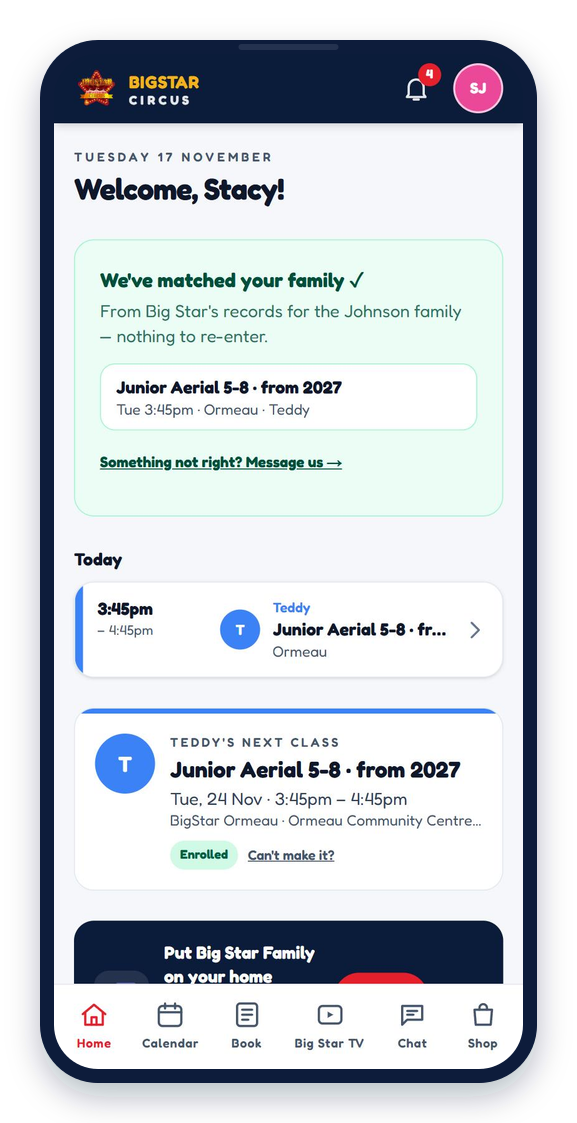
Home knows your family the moment you sign in
Open it and your child's next class is right there: who, when, where, and whether they're enrolled. Report an absence in two taps. Anything Big Star needs from you — a form, a payment, a consent — shows as a card at the top, so nothing gets lost in emails.
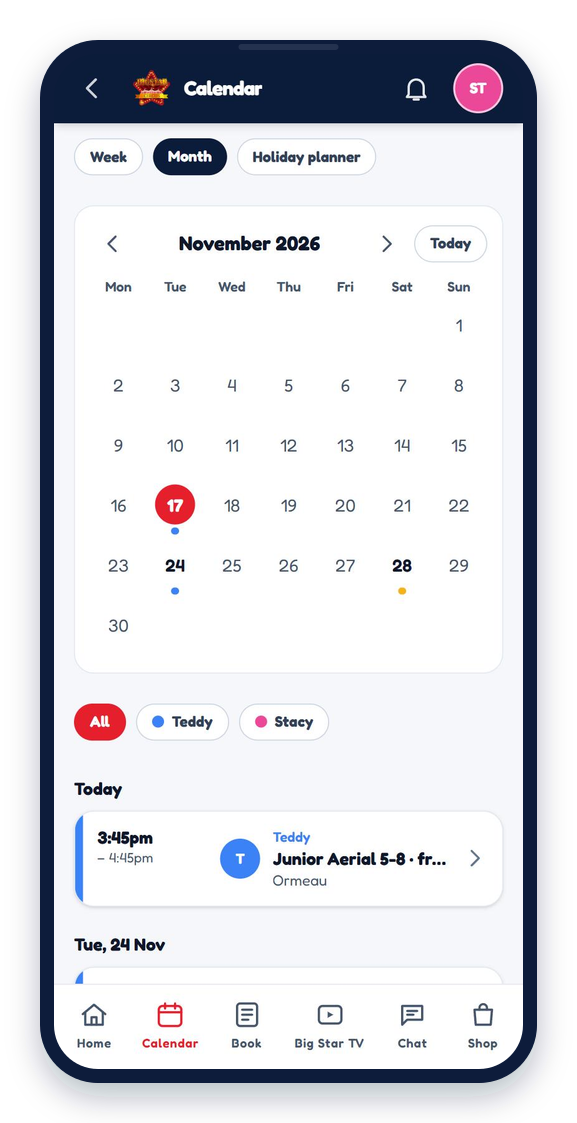
One calendar for the whole year
Every class, holiday workshop, Kids Night Out, show and studio closure is already on it, colour-coded per child, with reminders the night before and on the morning. The holiday planner shows the whole break at a glance, so you can book the right days early.
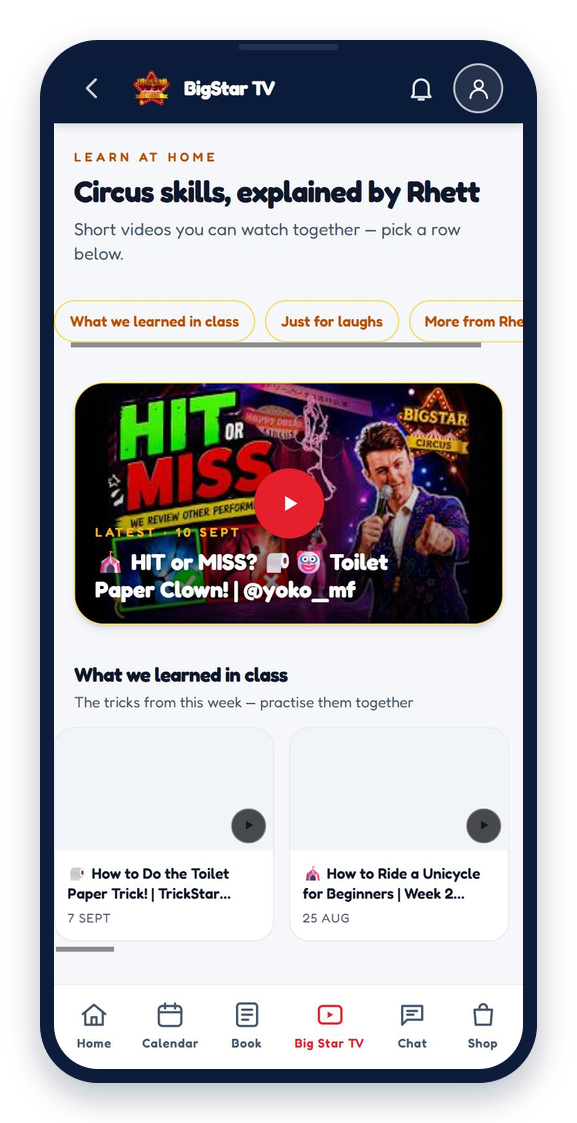
Big Star TV: practise with Rhett at home
Head Coach Rhett's how-to videos, sorted by what your child learned in class this week, plus the silly ones for a laugh. Press play together on the couch and the trick clicks faster in the next lesson.
Class Chat, bookings, payments and the shop
A private chat for each class where coaches post photos, clips and what the kids worked on — only the families in that class can see it. Book workshops and Kids Night Out for the year ahead, see your membership and pay in a few taps, and grab tees, hoodies and the circus starter kit from the shop.
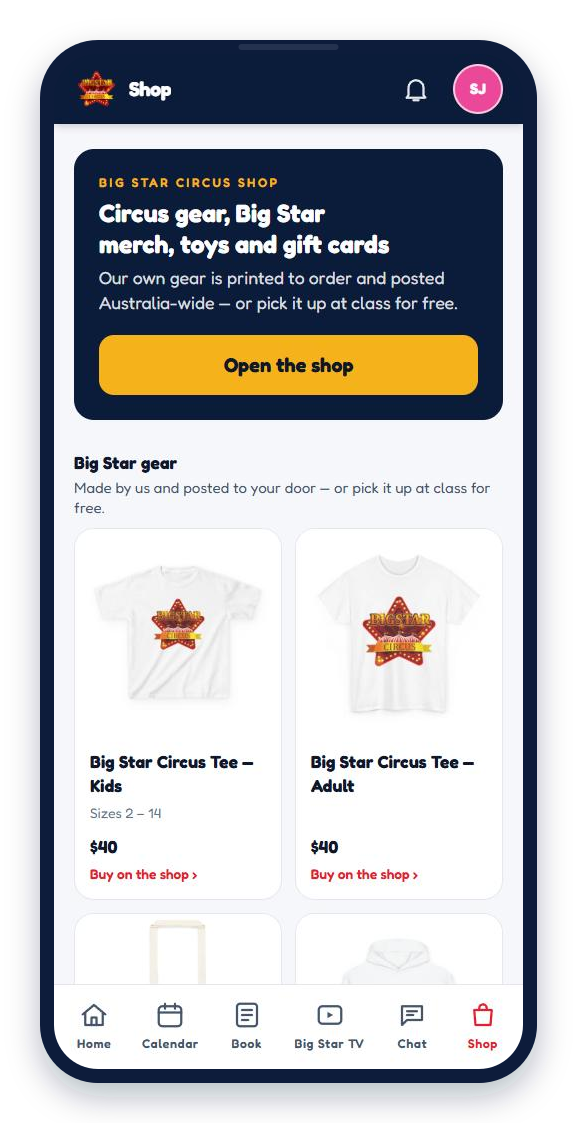
Nothing to download. Nothing to type twice.
It runs straight from your phone and installs to your home screen on iPhone and Android. The studio already has your details, so the app finds you — not the other way round.
Open the BigStar Family AppScan this with your phone camera
Tap the link that pops up, then Sign in with the email the studio has for you. About a minute, start to finish. On a phone right now? Use the button instead.
Open the BigStar Family App
Your questions
Which phones does it work on?
Any iPhone or Android, and on a tablet or computer too. On iPhone, add it to your home screen so reminders can reach you.
It didn't find my family
Use the email the studio has for you. If that isn't on file, the app asks for your mobile and matches you that way, and Rhett links you with one tap. Still stuck? Email admin@bigstarcircus.com.au.
Can both parents use it?
Yes. The main parent signs in first, then a second parent or grandparent on the family record can be approved from inside the app.
Who can see my child's photos?
Only the families whose children are in that class, and the coaches. You decide yes or no for your own child, and you can change it any time under Account.
I forgot my PIN
Tap Forgot PIN on the sign-in screen and we email you a fresh code. Then choose a new PIN.
Will it spam me with notifications?
Only what you choose. Essential alerts like a cancelled class always come through; everything else is a switch in Reminders.